Food Photography for Online Menus: The Complete 2026 Guide
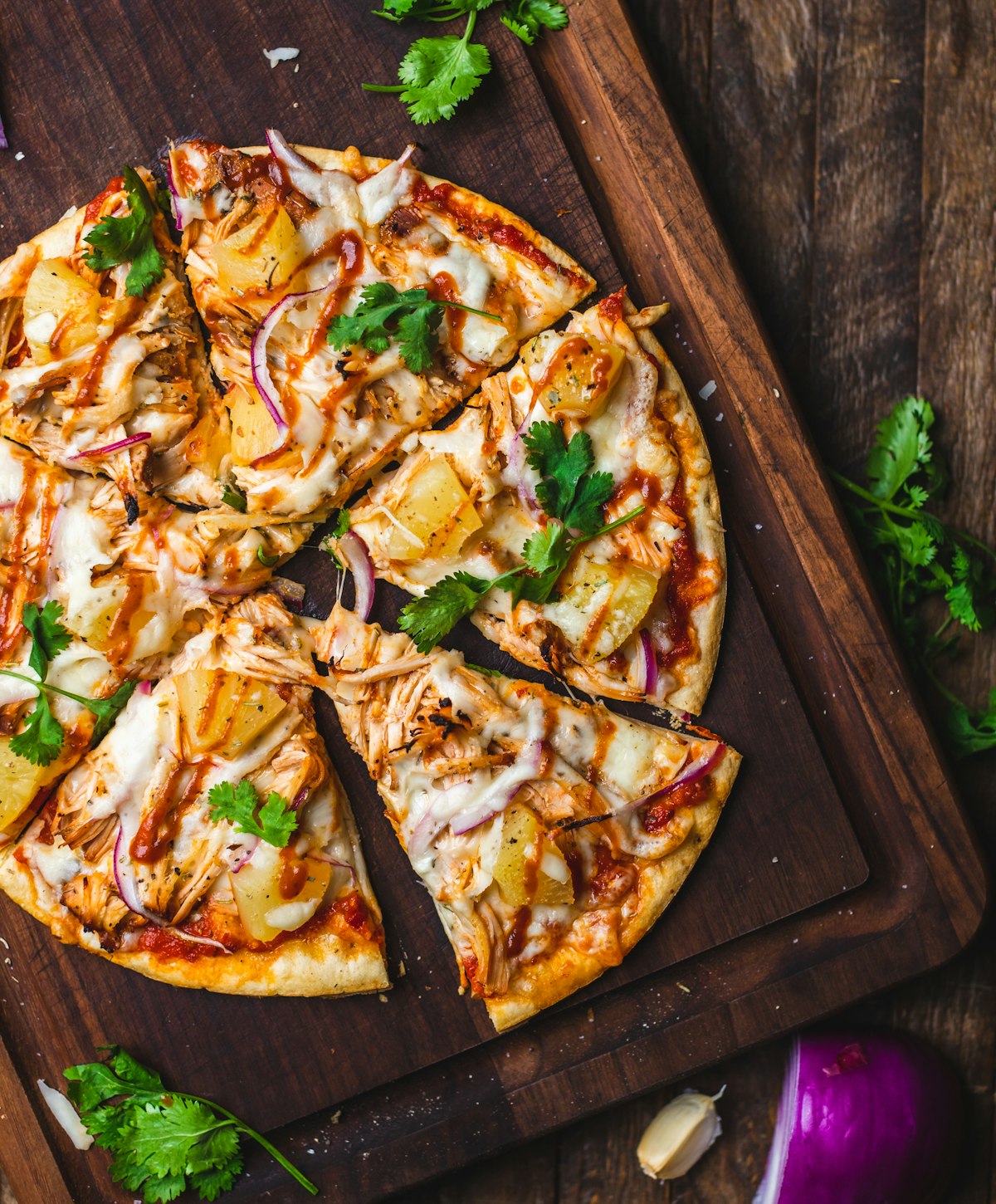
Online menu photos are the single most powerful conversion lever available to a food delivery restaurant. Multiple independent studies have found that menu items with high-quality photographs sell up to 30% more than identical items listed without images. Despite this evidence, the majority of independent restaurants on delivery platforms either have no photos, or photos of insufficient quality to be competitive. This guide covers everything you need to know — platform specifications, photographic technique, and the fastest route to professional-quality results.
The Business Case: How Photos Affect Order Conversion
The correlation between food photo quality and order volume is one of the best-documented findings in restaurant marketing research. A 2023 study published in the International Journal of Hospitality Management found that customers browsing digital menus were 65% more likely to add an item to their cart when a high-quality photo was present. Uber Eats' internal data, published in their restaurant partner documentation, indicates that menu items with photos receive on average 30% more orders than items without.
The mechanism is not simply visual appeal. Photos reduce purchase uncertainty. When a customer can see exactly what they are ordering — the portion size, the presentation, the ingredients — they are more confident in their decision. Lower uncertainty produces higher conversion. For a restaurant doing 100 delivery orders per day, a 30% lift from improved photography represents 30 additional orders — a significant revenue impact achievable with a one-time investment in photography and enhancement.
Uber Eats: Image Requirements and Best Practices
Uber Eats has among the most specific image requirements of any delivery platform, and images that do not meet their standards are rejected automatically.
- Required dimensions: Minimum 320 × 320 pixels; recommended 1200 × 800 pixels or larger.
- Aspect ratio: 3:2 horizontal (landscape) orientation is preferred for item images.
- Format: JPEG or PNG. Maximum file size 2MB.
- Content rules: The food must occupy the majority of the frame. Watermarks, text overlays, borders, and collages are prohibited. The dish must be photographed on a neutral background — no cluttered kitchen surfaces or patterned tablecloths.
- Algorithm impact: Uber Eats gives ranking priority to items with images that meet their quality threshold. Items without photos are ranked lower in category searches within the app.
DoorDash: Photo Standards and Merchant Requirements
DoorDash's photo requirements are similar to Uber Eats but with slightly different specifications:
- Required dimensions: Minimum 1080 × 1080 pixels (square format).
- Aspect ratio: 1:1 square preferred, though landscape images are accepted and cropped.
- Format: JPEG or PNG. Maximum file size 5MB.
- Content rules: No watermarks, logos, or text. The food must be the primary subject. Styled food shots with props are acceptable; food on a plain white background performs well on DoorDash's clean, minimal interface.
JustEat (and Takeaway.com): European Platform Requirements
JustEat and its Takeaway.com affiliate platforms (active across the UK, Netherlands, Germany, and other European markets) accept images at:
- Required dimensions: Minimum 800 × 450 pixels; recommended 1600 × 900 pixels.
- Aspect ratio: 16:9 landscape format preferred.
- Format: JPEG. Maximum file size 2MB.
- Content rules: No text overlays or branding. The dish must accurately represent what the customer will receive — misleading imagery is grounds for removal.
Restaurant Website Menus: Different Rules Apply
Your own restaurant website menu has no platform-imposed image restrictions, but different best practices apply. On your own site, you control the layout — which means you can use larger, more atmospheric images that convey your restaurant's identity and ambience, not just the dish in isolation. Hero images for featured dishes can be displayed at full-width, allowing more creative composition and styling. For individual menu item photos, a 3:2 landscape format at 1200 × 800 pixels is a practical standard that renders well on both desktop and mobile.
On your website, image load speed directly affects conversion and search ranking. Compress all menu images to under 200KB without perceptible quality loss using tools like Squoosh or Cloudflare's image optimisation pipeline. Next-generation formats (WebP, AVIF) deliver the same visual quality at 25–35% smaller file sizes than JPEG.
How to Photograph Every Menu Item Efficiently
Photographing a full menu of 30–50 items sounds daunting. With a systematic approach, a full menu can be shot in a single day:
- Set up a dedicated shot station. Choose a fixed location near a large window with consistent natural light. Place your background surface and a white foam board reflector once, and keep them in position throughout the shoot.
- Establish your camera settings once. For smartphone photography, lock exposure and white balance using the manual controls in your camera app. For DSLR/mirrorless, shoot in manual mode.
- Work in batches by category. Photograph all starters, then mains, then desserts. This minimises setup and styling changes between shots.
- Shoot immediately after plating. Have your chef plate each dish immediately before shooting. Steam, gloss, and freshness all disappear within 60 seconds.
Meeting Platform Standards with AI Enhancement
Even well-photographed menu images often require post-processing to meet delivery platform quality standards — particularly around background cleanliness, colour balance, and sharpness. FoodieFixer automates this process: upload your raw menu photos and the AI corrects colour casts, enhances sharpness, and removes or replaces cluttered backgrounds in seconds. At from $0.30 per image, processing a 40-item menu costs less than $40 — a small fraction of what a professional photography day would cost, and a one-time investment that pays back with every order influenced by your improved listings.
Key Takeaways
- Menu items with high-quality photos receive up to 30% more orders on delivery platforms — this is one of the most consistently documented findings in restaurant marketing.
- Each platform has specific image requirements: Uber Eats requires 3:2 landscape at 1200 × 800px minimum; DoorDash prefers 1:1 square at 1080 × 1080px; JustEat uses 16:9 at 1600 × 900px.
- All major platforms prohibit watermarks, text overlays, logos, and cluttered backgrounds — clean, food-focused images are mandatory.
- A full menu can be photographed efficiently in a single day using a fixed shot station and batch workflow.
- AI enhancement tools like FoodieFixer bring all menu images up to platform standards at from $0.30 per image — far cheaper than professional retouching or re-shooting.